
A2A Agents: What I Learned and Actually Built
When I first heard “A2A agents” I thought it was just another AI buzzword. So I decided to actually build something with it, break it a few times, and find out if it’s real or hype.
It’s real. And genuinely useful.
What Is A2A?
A2A stands for agent-to-agent. It’s a way for AI agents to talk to each other, delegate tasks, and coordinate to get something done without you managing every step.
Think of it like a team. You tell the team lead what you want. They figure out who does what. A2A is that, but for AI.
Google published a formal A2A protocol in early 2025 to standardize how agents discover each other and hand off work. But you don’t need the official spec to start building. Any LLM API and some orchestration logic gets you going.
“A single AI agent is a smart intern. An A2A system is a coordinated team where each member has a role and they pass work between each other.”
How It Works?
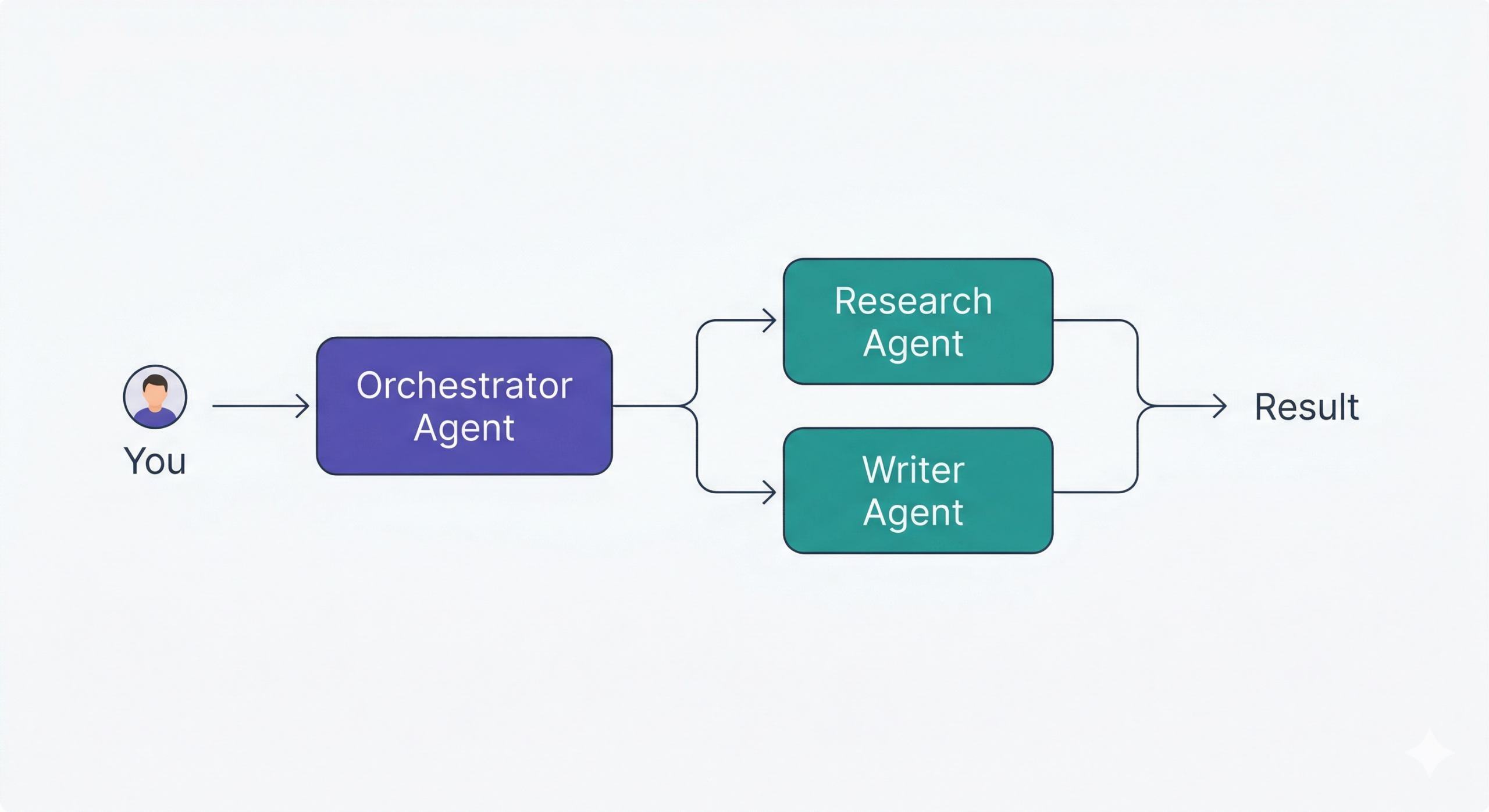
Every A2A system has two types of agents.
The orchestrator is the brain. It takes your request, breaks it into subtasks, decides who handles what, and assembles the final output. You only ever talk to the orchestrator.
The specialist agents each have one job. One searches the web. One writes. One formats. One checks facts. Each has its own instructions and its own set of tools.
You stack them like LEGO bricks. Each piece is simple. Together they handle work that would be genuinely hard for one agent to do well alone.
“You don’t manage every step. You tell the team lead what you need and the team figures out the rest.”
What I Built?
-
Business Research Pipeline
The problem
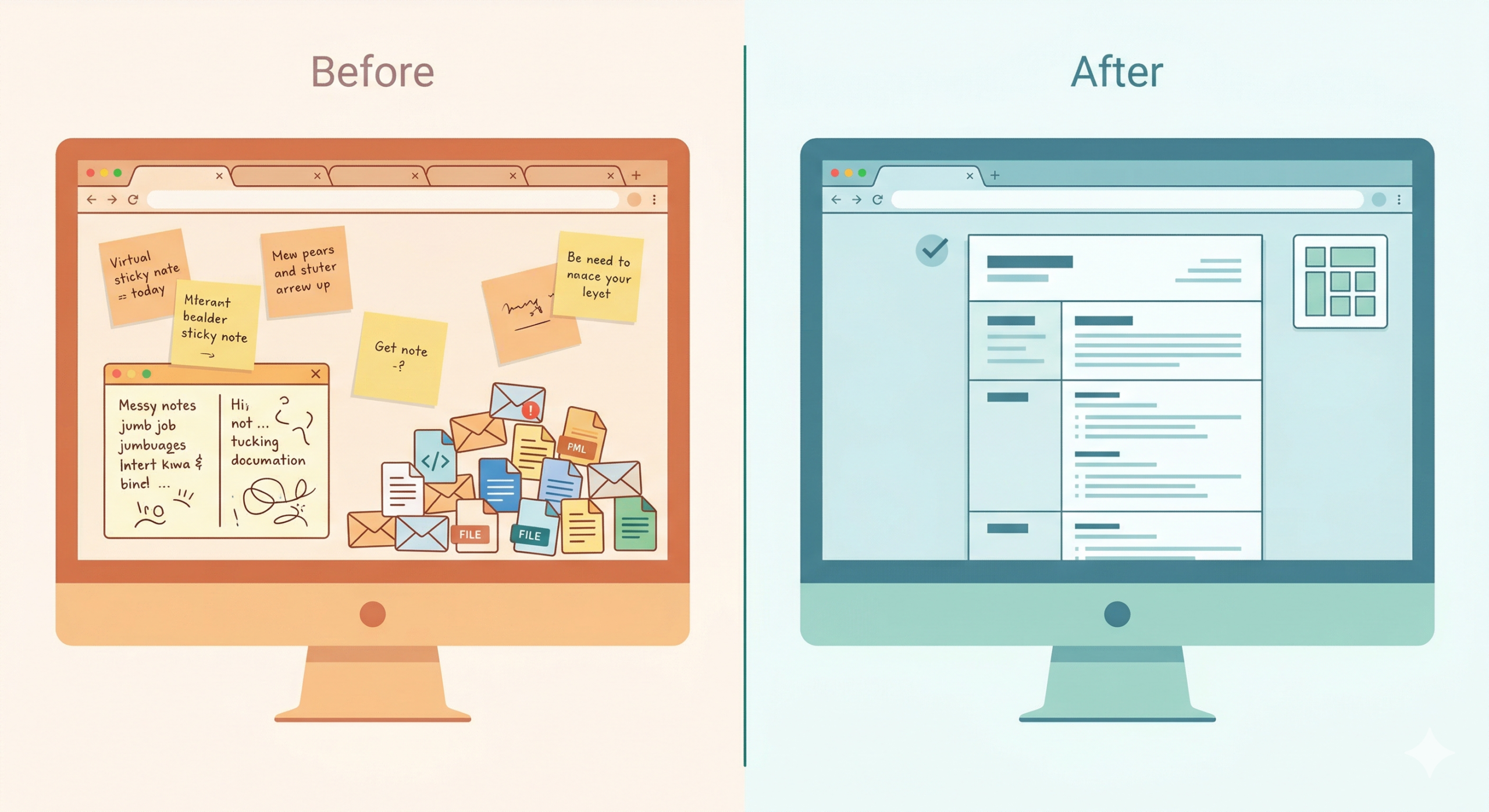
Every time I needed to understand a new company, a potential partner, or a market, I ended up with 10 open tabs, half-read articles, and scattered notes. It was slow and I kept missing things because I was skimming instead of actually reading.
The build
I set up two agents using the Claude API connected to web search.
The first agent, the Research Agent, takes a simple input from me: a company name, a topic, or a question. Its only job is to go out and gather. It searches the web, reads the relevant pages, pulls out key information, and returns a clean structured summary. No opinions, no formatting, just organized findings.
The second agent, the Output Agent, never touches the internet. It only sees what the Research Agent returned. Its job is to reshape that summary based on what I need in that moment. I can tell it:
-
- “Format this as prep notes for a discovery call”
- “Structure this as a competitive comparison”
- “Give me a two paragraph overview I can paste into an email”
Same research. Different shape. Depending on context.
The technical setup
-
- Wired together with a simple Python script, roughly 60 lines of orchestration logic
- Research Agent runs first, its output passes directly as context to the Output Agent
- Used Claude Sonnet for the Research Agent where quality matters
- Used Claude Haiku for the Output Agent to keep costs low since it’s just reformatting
- Final output drops into a plain text file or prints to terminal
The result
What used to take 30 to 45 minutes now takes under 3 minutes. The output is actually better too because the agent reads full page content instead of me skimming headlines. Cost per session is roughly 3 to 4 cents.
The key lesson
Early versions had the Research Agent trying to also format and editorialize. Quality dropped on both sides. The moment I made it purely a gatherer and the Output Agent purely a formatter, everything improved. One job each. That’s it.
| Before | After | |
|---|---|---|
| Time per research session | 30-45 mins | 2-3 mins |
| Cost | My time | ~$0.04 |
| Quality | Inconsistent | Structured every time |
Tools used
| Tool | Purpose |
|---|---|
| Claude Sonnet | Research Agent, web reading |
| Claude Haiku | Output Agent, formatting |
| Python | Orchestration script |
| Web Search API | Live web access for Research Agent |
| Plain text / terminal | Output format |
Smart Home Assistant Agent
The problem
Owning a house means a never-ending stream of small decisions. What groceries do I need? Is this weird sound from the furnace serious? When did I last change the water filter? What is the cheapest fix before calling a professional?
These are not big problems individually. But together they create constant low-level mental noise. And Googling each one gives you 40 conflicting Reddit threads.
The build
I built a three-agent system that handles all of it from one input.
The first agent is the Intake Agent. It receives whatever I type or say in plain language and routes it to the right specialist. No categories to remember, no app to navigate. Just talk to it like a person.
Examples of what I actually send it:
- “We are out of eggs, milk, and dish soap”
- “There is a rattling noise coming from the AC unit”
- “What is the best way to unclog a slow drain without calling a plumber”
- “When should I service the furnace”
The Intake Agent reads the message and routes it to the right specialist automatically.
The Grocery and Supplies Agent
Anything food or household supplies related goes here. But it does not just add items to a list. It groups them by store section automatically so the list is actually useful when you are walking the aisles. It tracks what you run out of repeatedly and starts suggesting a base weekly list based on your actual usage patterns. If you mention cooking something specific it figures out what ingredients you likely need.
“Ran out of olive oil again. Added it to this week’s list and flagged it as a staple you run out of often. Want me to add it to your auto-reorder list?”
The Home Advisory Agent
This one handles everything maintenance, repair, and home tips related. You describe a problem in plain language. It tells you whether it is DIY, something to monitor, or call a professional immediately. It gives you actual steps with realistic time and cost estimates.
It also runs a seasonal maintenance schedule in the background. About four weeks before something is typically due, it surfaces it proactively.
“It is coming up on late March. Good time to schedule AC servicing before summer, check your sump pump before spring rains, and replace HVAC filters if you have not since January.”
For repair questions it gives you a straight answer, not a wall of search results.
“Slow drain is almost always a buildup in the P-trap. Here is how to clear it in 10 minutes with no tools. If that does not fix it after two tries, then it is worth calling someone.”
The technical setup
- Built with Claude API
- Intake Agent uses a short classification prompt to route messages to the right specialist
- Grocery Agent maintains a persistent text file as the running list, updated on every relevant input
- Home Advisory Agent has a system prompt loaded with seasonal maintenance schedules and common home fix knowledge
- Input comes from my phone via a simple shortcut, same as texting
- Grocery list syncs to a shared note so the whole household can see it
The result
The grocery side alone saves two or three “wait what did we need” moments every week. The home advisory side has already saved me two unnecessary service calls by correctly telling me the fix was simple enough to do myself.
“The goal was never a fancy app. It was one place to put any house thought and trust that it lands in the right hands.”
What I Learned
- Context doesn’t transfer automatically: Agents are stateless by default. You have to explicitly pass information between them. Early on Agent B had no idea what Agent A found. Always serialize and pass state. Don’t assume they share memory.
- One job per agent: When I gave one agent too many responsibilities, quality dropped across all of them. Narrow and focused wins every time. If you’re tempted to add a second job to an agent, build a second agent instead.
- Spend most of your effort on the orchestrator prompt: It’s the director. If it’s vague, everything downstream suffers. I now spend 80% of my prompting effort on the orchestrator. Be explicit about what to delegate, what to decide itself, and how to handle unexpected results.
- Watch the costs: A three-agent chain can mean 6 to 8 API calls per run. Use faster, cheaper models for intermediate steps and save the powerful model for the final output. The quality difference at intermediate stages rarely justifies the cost difference.
- Keep humans in the loop for anything important: A2A is fast but not infallible. For anything customer-facing or decision-critical, always keep a review step before the output is final. The goal is to reduce your workload, not remove your judgment.
Where This Is Going
The shift isn’t smarter single agents. It’s smarter networks of focused agents that coordinate and get complex work done without constant hand-holding.
The gap between “AI that answers questions” and “AI that actually does the work” is closing fast. A2A is one of the clearest signs of that shift.
If you’re a developer or a founder, this is worth your time. The workflows you can automate with a well-designed agent graph would have required a team of humans to run just a couple of years ago.
I’m still experimenting, still breaking things, and finding better ways to wire these systems together. If you’re building in this space or just starting to explore it, I’d love to compare notes.